Once upon a time (okay, last week) I was skeptical of photos that had been manipulated in Photoshop or other post-processing software applications. I was a bit of a purist and, let’s call it, a snob. If I really liked a photo, I’d like it a little bit less if I noticed it had been manipulated. Then I had a really interesting conversation with a group of people on Flickr also doing a 365 project, and came to believe that post-processing is not only completely acceptable, but actually a lot of fun. Post-processing, I now believe, is just one of a suite of tools one uses to make the final photograph resemble the image you originally conceived before you even peered through the viewfinder – a suite of tools that includes your focus ring, your composition, your selection of colour or b&w, your decision to use flash or not, etc, etc. A 180 degree turn on my 365, you might say.
All that to say I’ve had a lot of fun this week with Photoshop. Like this photo, for example. Since I got the minivan, I’ve wanted my boring old key fob with it’s red PANIC button to say this:

And now, thanks to the wonders of post-processing, it does!
I had a lot of success this week, including this shot, which I truly believe is one of the best pictures I’ve ever taken:
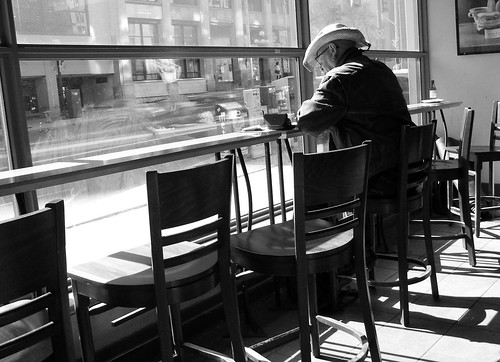
Don’t you just love his hat? And for the Canadians in the crowd, you can delight in the irony that I snapped this in a Starbucks (overcoming my strong fear of being arrested for stalking a random stranger by capturing this photo while peeking out from behind a shelf stacked with Tazo tea) on my way to Tim Hortons for a coffee.
All of the photos from this week seemed worthy of showcasing in full size – it was a good week! All of these have been adjusted, most very minimally, in Photoshop as well.
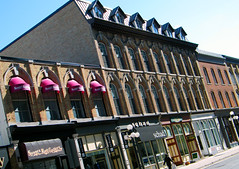

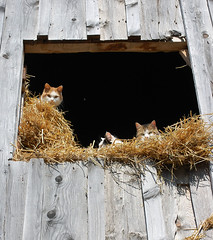
Now, if only I were living with someone who was so comfortable with Photoshop that he actually taught the subject, and had access to dozens of free textbooks on the subject. Oh wait, I do!! Yay!
(Now I just need an extra five or six hours in the day to play… anybody got any of those to spare?)

Great pics – I love black and white, and any picture having to do with an old barn…
Those are wonderful!
Love the baby in sunglasses, and the man in the hat makes you ponder…what IS he thinking about?
Nice! I love taking pictures, mostly of my kids, though!
Hey, if you haven’t already, check out this blog: http://www.mycharmingkids.net – this awesome mom of 4 is a professional photographer and you’ll be blown away by her pictures! You will truly love it!
I was going to say, doesn’t your husband have and teach Photoshop?!? Great shots this week.
These are awesome shots. If ever you want to take a test drive with a great Photoshop alternative that is owned by a Canadian company, in your backyard, and is easier to use, you might check out Paint Shop Pro by Corel! (disclaimer: I run Product Management for Corel’s Digital Imaging, Video and Disc Authoring software)
Hey Denise, thanks for being transparent in your comment — I really appreciate that! I’ve heard Paint Shop Pro recommended by a couple of people and I’m all over supporting local companies, but we get the full Adobe suite at educational prices because my husband teaches it. I’ve also heard a few people recommend Gimp, which I think is an online service. What I’m really coveting is Lightroom, but we’d have to pay for it and I’m just not that keen yet.
that shot of the man in Starbucks is amazing.
I’m too cheap for/can’t afford PS, so I use Gimp. I really like it, but don’t really have a frame of reference to compare. I also covet Lightroom and would also love a de-noise program.
As for post-processing, I think it’s almost as much fun as taking the pictures themselves! While I’d love to be able to take great shots SOOC, I love being able to manipulate the shots I do take.